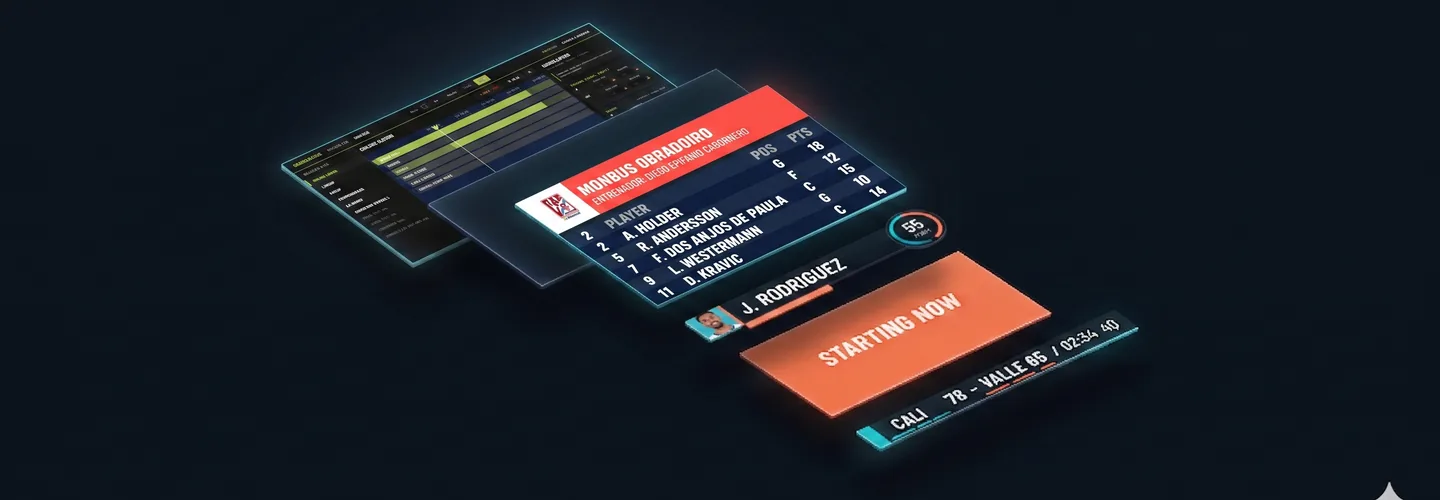
KronoGraph's Builder is a visual template editor for art directors, producers and operators who need to create their own overlays — or tweak existing ones — without going through the "ask a developer, wait for deploy, test" cycle. You open it in the browser, drag layers onto a canvas, bind slots to live match data, and publish. The new template shows up in the operator panel like any other.
Who this service is for
- Federations and leagues with their own brand who need scorebug, lineup and final-score to look exactly like their art director approved.
- Production companies rotating clients weekly who can't depend on a developer for each new brand kit.
- Small broadcast teams producing their own feeds and looking to step up graphics quality without hiring engineers.
- One-off events (special tournaments, finals, all-stars) that need bespoke templates which won't be reused.
What the Builder includes
Drag-drop layer editor
Drop text, image, shape or data-slot layers onto the canvas. Each layer has position, size, opacity, blend mode and filters. Layers reorder by drag, duplicate with a shortcut, snap to smart guides.
IN/OUT animations per layer
Each layer picks an entry and exit animation from the catalog: slide (any direction), fade, scale, clip-path. Each animation has editable durIn, durOut, delayIn, delayOut. Preview runs the same render as production — what you see is what goes on air.
Live data binding
Text and image slots bind to match placeholders: {home.name}, {score.home}, {quarter}, {player.headshot}, {player.points}. When new feed data arrives (Genius Sports REST, FLS WebSocket, FEB scraper, OCR), the graphic refreshes automatically with no operator input.
Keyboard shortcuts and persistence
Cmd/Ctrl+D duplicates, Cmd/Ctrl+Z undoes, arrow keys nudge 1px, Shift+arrows nudge 10px. Each template persists as built-{name} and shows up in the event's active graphics catalog automatically.
FEB Builder — tuning variant
For clients with the FEB package already installed, a tuning-only Builder variant lets the technical director bump Game Title's delayIn from 0.4s to 0.8s to match a camera cut, without requesting a code change. Persists to evento.extra_data.gfxTiming.
How it works
- Open the Builder at
/builder/{shortCode}. Start with a blank canvas or duplicate an existing template as a starting point. - Compose the graphic by dragging layers. Bind slots to match placeholders. Configure IN/OUT animations.
- Test in preview with synthetic data or with a recorded JSONL match (replay mode) to see how it reacts to real events.
- Publish. Template appears in the event's operator panel. Zero deploy, zero reload, zero downtime.
Real production use cases
- Custom animated final-score for a continental final that needed a different look from regular season.
- Game-by-game timing tuning of the FEB package whenever the technical director changed mid-season (FEB Builder).
- "Player of the Match" graphic used only in special events, reusing assets from the base bundle.
- Replicating an audiovisual partner's lower-third without giving them code-repo access.
What's included
- Drag-drop editor with text, image, shapes and data-bound slot layers
- Configurable IN/OUT animations (slide, fade, scale, clip-path)
- Bind to live match data placeholders
- Real-time preview using the same production render path
- Keyboard shortcuts for selection, duplication, alignment, reorder
- Auto-persistence — appears in operator panel like any built-in template
- FEB Builder for no-code timing tuning
- Compatible with any project brand kit (color1/2/3 + font)
- Replay mode with JSONL captures for pre-event QA
Frequently asked questions
Do I need to code to use the Builder?
No. Fully drag-drop. Drop layers, pick animations from the catalog, bind data with placeholders {home.name}. Zero JavaScript.
Do custom templates look the same as official ones?
Yes. Same render path (1920×1080 transparent browser source). OBS and vMix capture them identically.
Can I tune FEB timings without rewriting?
Yes. FEB Builder is the tuning variant. Adjust durIn/durOut/delayIn/delayOut, persists in extra_data.gfxTiming.
Do they work with live Genius Sports?
Yes. Any data-bound slot receives the feed via REST polling or FLS WebSocket.
Can I copy templates between projects?
Yes. Duplicates between projects. Destination brand kit re-applies colors and font.